Powerpack Replicator.
One master USB. Five verified drives.
Clone a known good Windows deployment USB to up to five drives at once, each one verified on its own.
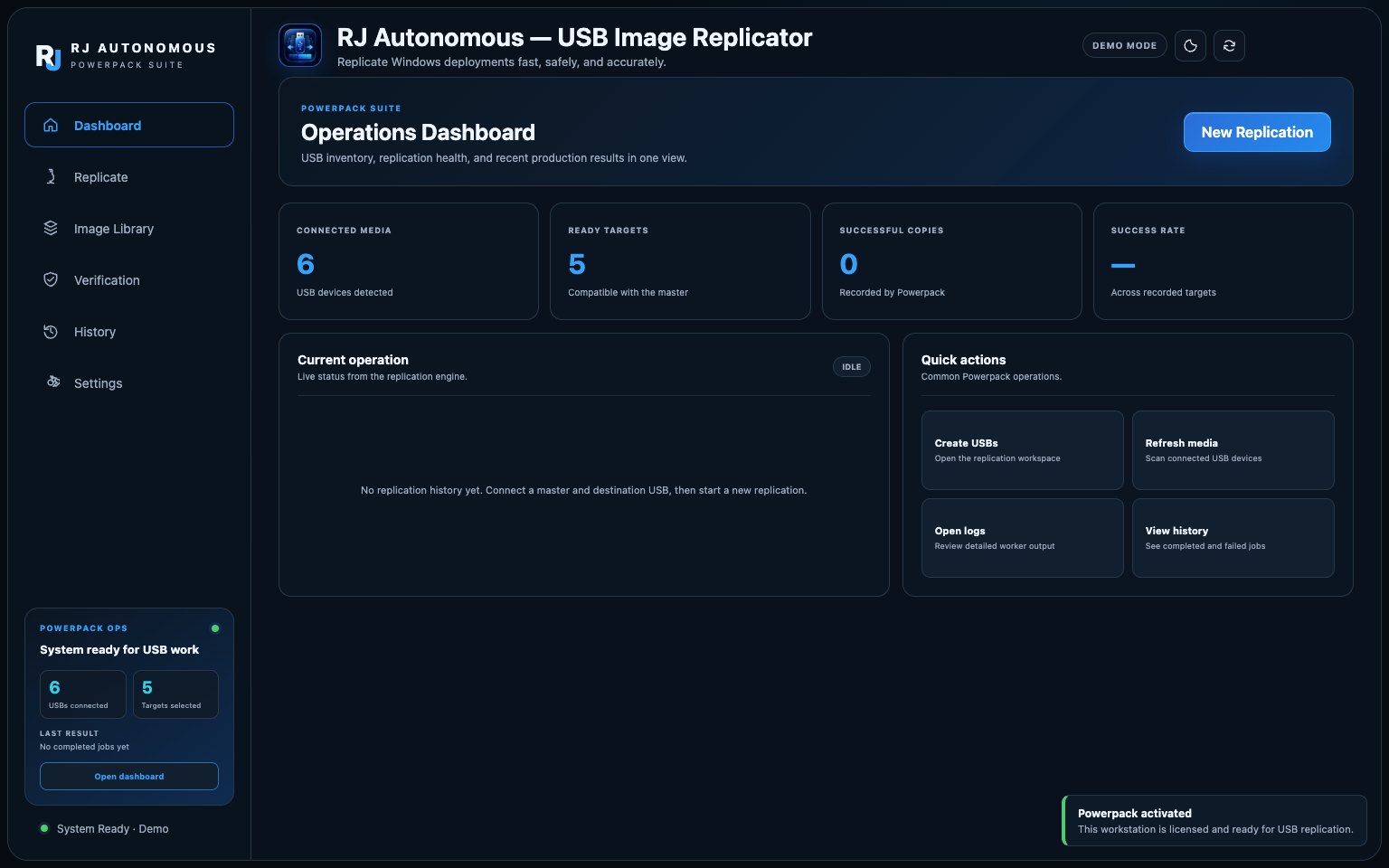
Imaging day starts with one good USB stick and a line of people who each need one.
Copying a bootable deployment drive by hand is slow, and File Explorer quietly skips the hidden EFI and recovery partitions that make it boot. Replicator clones the whole disk, to five drives in parallel, and proves each copy is good.
Pick the master
Select the source by disk number, model, serial and capacity. The source is read only, always.
Pick up to five targets
Preflight checks must be green. Then type ERASE to confirm exactly which drives will be wiped.
Replicate and verify
Each drive gets its own worker, progress, rate and ETA. Every destination is verified independently.
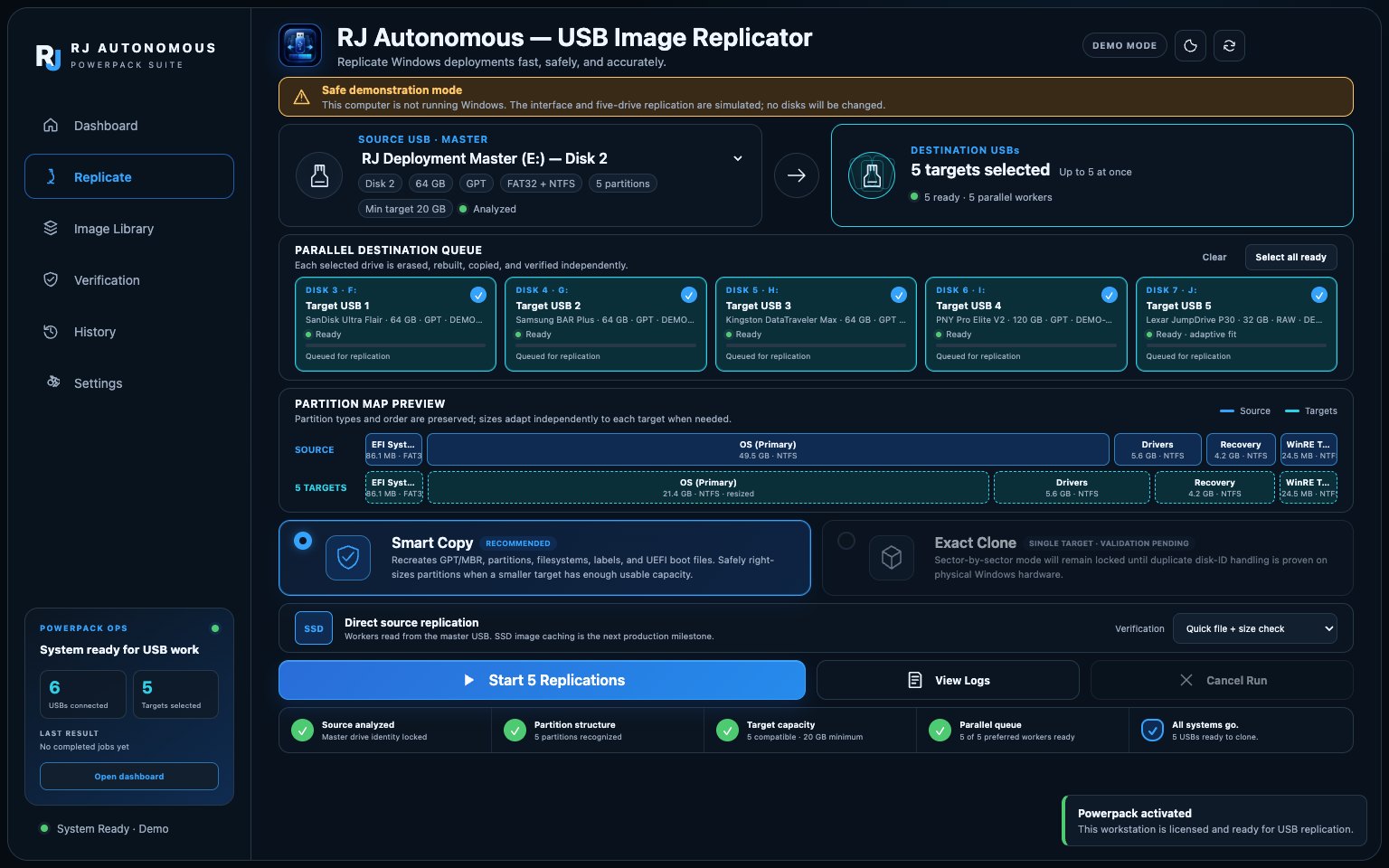
Five drives, five workers
If one drive fails, the other four keep going.
Smart Copy
Rebuilds the partition table and right-sizes data partitions, so smaller drives still work.
Exact Clone
Need a bit for bit copy instead? One switch.
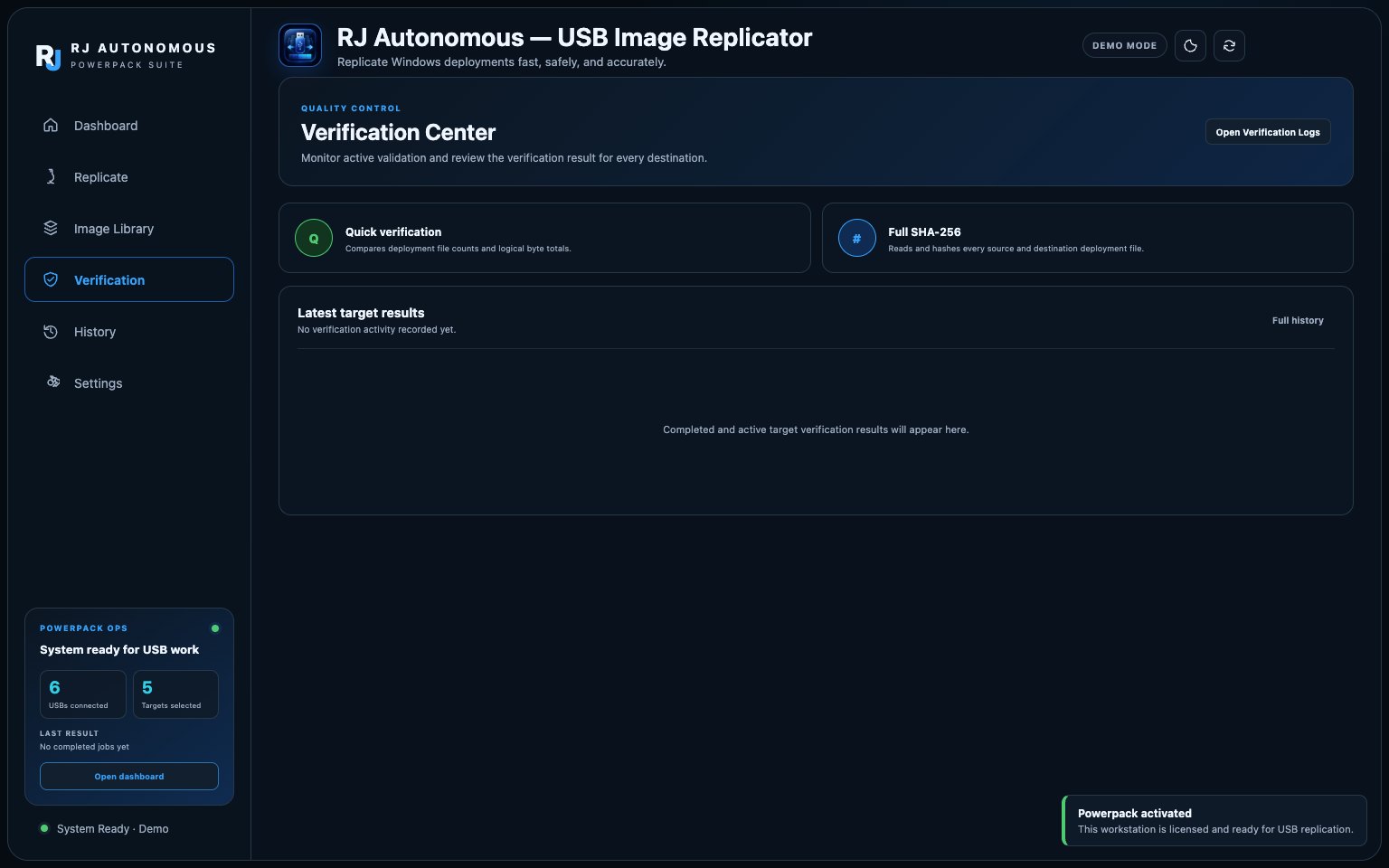
Verification Center
Quick file and size check, or full SHA-256, per target.
Built to not make mistakes
Whole physical disks only, never volume letters. Selections lock until every worker exits.
Job history
A persistent record of every run, with logs.
Specifications
- Operating system
- Windows 10 or Windows 11, x64
- Privileges
- Administrator (writes to whole physical disks)
- Targets
- 1 to 5 USB drives per run, one worker each
- Copy modes
- Smart Copy or Exact Clone
- Verification
- Quick file and size, or full SHA-256
- Partition tables
- GPT and MBR, hidden EFI and recovery included
- Editions
- Installer, or a portable executable
- Dependencies
- None. No runtime to install
- Licensing
- One time purchase, one key per workstation
Questions
Is this a subscription?+
No. One payment, one license key. The key activates a Windows workstation and stays activated; there is nothing to renew.
Does it work on macOS or Linux?+
Not yet. Replicator is built for Windows 10 and 11 on x64. It needs an administrator account because it writes to whole physical disks.
Will it erase my master drive?+
No. The source is read only. Every selected destination is erased, which is why the app makes you type ERASE and shows the exact disks before it starts.
What if a destination drive is smaller than the master?+
Smart Copy right-sizes supported data partitions to the space actually used, so a smaller drive works as long as it meets the Min target the app shows. Exact Clone still needs a drive at least as large as the source.
Windows shows a SmartScreen warning. Is that expected?+
Yes, for this build. It is not yet signed with a public code-signing certificate. Verify you downloaded it from this site, then choose More info and Run anyway.
Or build a bundle: pick two or more PowerPack tools and take 15% off all of them.
Build a bundle, 15% off →